
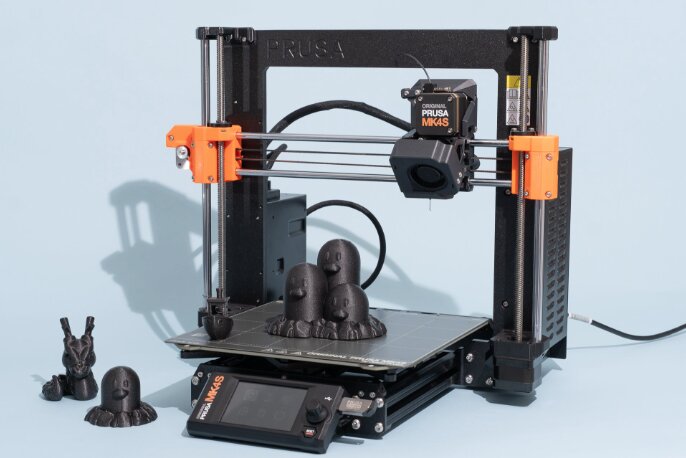
Teenagers today have access to creative tools that previous generations could only imagine. Whether they’re interested in engineering, robotics, cosplay, model making, product design, or simply bringing their ideas to life, a 3D printer can become one of the most rewarding pieces of technology they own.
Unlike traditional hobbies, 3D printing combines creativity with practical skills. Teens learn design thinking, problem-solving, and basic engineering while creating everything from phone stands and desk organizers to RC car parts, cosplay accessories, and custom gifts.
However, not every 3D printer is suitable for younger users. Some require frequent calibration, constant troubleshooting, or technical knowledge that can quickly become frustrating. Others prioritize ease of use, automatic calibration, and reliability, allowing beginners to focus on creating rather than fixing failed prints.
After comparing ease of setup, print quality, reliability, safety features, printing speed, software experience, multicolor capabilities, and overall value, one printer stood out as the best choice for most teenagers.
Our Top Recommendation: Anycubic Kobra S1 Combo
Why We Recommend It
The Anycubic Kobra S1 Combo offers one of the most complete experiences available for teens who want to get into 3D printing.
It combines fully automatic calibration, an enclosed CoreXY design, built-in filament drying, high-speed printing, multicolor capability, remote app control, and a beginner-friendly workflow that removes many of the frustrations commonly associated with entry-level printers.
Instead of spending hours manually leveling the print bed or troubleshooting inconsistent prints, teens can spend more time designing, experimenting, and creating.
The enclosed design also provides an added layer of safety while improving print consistency, making it an excellent long-term investment as users progress from simple PLA projects to more advanced materials.
For most teenagers, it strikes the ideal balance between simplicity, performance, and room to grow.
Best 3D Printers for Teens: Our Top Picks
1. Anycubic Kobra S1 Combo – Best Overall 3D Printer for Teens
Pros
✓ Fully automatic calibration
✓ Built-in active filament drying
✓ Fully enclosed design
✓ Up to 600 mm/s printing speed
✓ Supports multicolor printing
✓ Smart app and LAN control
✓ Excellent long-term upgrade potential
Cons
✕ Premium price compared to entry-level models
✕ Additional ACE Pro unit required for eight-color printing
Specifications
| Feature | Specification |
|---|---|
| Print Technology | FDM |
| Build Volume | 250 × 250 × 250 mm |
| Print Speed | Up to 600 mm/s |
| Motion System | CoreXY |
| Auto Leveling | Yes |
| Enclosure | Fully Enclosed |
| Multi-Color Printing | Up to 4 colors (expandable to 8) |
| Connectivity | App, LAN |
| Filament Drying | Built-in |
If you’re buying a single 3D printer that can take a teenager from their very first print all the way to advanced multicolor projects, the Anycubic Kobra S1 Combo is difficult to beat.
One of the biggest reasons beginners lose interest in 3D printing is frustration. Manual bed leveling, clogged nozzles, poor first layers, and inconsistent filament quality can quickly turn an exciting hobby into an exercise in troubleshooting. The Kobra S1 Combo addresses many of these common issues with automation that allows users to spend less time making adjustments and more time creating.
The first feature that immediately stands out is its fully automatic calibration system. With one-click bed leveling, vibration compensation, and automatic flow calibration, the printer handles much of the setup process on its own. This is especially valuable for teenagers who may be completely new to 3D printing and don’t yet understand how manual calibration affects print quality.
Another standout feature is the built-in active filament drying system.
Filament naturally absorbs moisture from the air over time. Wet filament can lead to bubbling, poor layer adhesion, stringing, and clogged nozzles. Most beginner printers require owners to purchase a separate filament dryer if they want consistently high-quality prints.
The Kobra S1 Combo eliminates that extra expense by incorporating active filament drying directly into the system. For teens who may leave filament loaded for weeks between projects, this feature helps maintain print quality without requiring additional accessories or technical knowledge.
Performance is another area where the printer impresses.
Its CoreXY motion system allows print speeds of up to 600 mm/s while maintaining excellent precision. Fast print speeds are especially appealing for teenagers who are eager to see their projects completed quickly rather than waiting overnight for every model.
Whether printing desk organizers, articulated toys, cosplay props, replacement parts, or school projects, the printer remains responsive without sacrificing overall quality.
The fully enclosed design also deserves recognition.
Beyond producing more consistent temperatures for advanced materials, the enclosure helps reduce accidental contact with moving components while also lowering noise compared to many open-frame machines. Parents often appreciate the cleaner appearance and more contained printing environment.
Creativity is another area where the Kobra S1 Combo shines.
Out of the box, it supports four-color printing, allowing teenagers to produce colorful models without manually changing filament during the print. As their skills develop, the system can be expanded to support up to eight colors with additional hardware, opening the door to increasingly ambitious projects.
Remote management is another welcome convenience.
Using the Anycubic app or LAN connectivity, users can monitor prints, manage jobs, and keep track of projects without constantly standing next to the machine. For tech-savvy teens who enjoy connected devices, this creates a modern printing experience that feels intuitive.
Maintenance has also been simplified through the quick-swap nozzle design. Instead of spending significant time disassembling components, changing nozzles takes only seconds, making experimentation with different nozzle sizes much less intimidating.
Perhaps the biggest advantage of the Kobra S1 Combo is that it continues to grow alongside its owner.
A teenager who starts by downloading simple models from online repositories can eventually move into CAD design, functional prototypes, engineering projects, robotics, cosplay, and multicolor artistic creations without immediately feeling limited by the printer’s capabilities.
Rather than outgrowing the machine after a year, many users can continue using it as their skills become increasingly advanced.
Bottom Line
If you want the best overall 3D printer for teens, the Anycubic Kobra S1 Combo offers the strongest combination of ease of use, automation, reliability, speed, and long-term growth potential. It minimizes many of the frustrations that beginners encounter while providing enough advanced features to remain rewarding for years.
2. Creality K2 SE – Best Value 3D Printer for Teens
Pros
✓ Excellent value for the features offered
✓ High-speed CoreXY printing
✓ Fully automatic bed leveling
✓ Solid all-metal construction
✓ Expandable to multicolor printing
✓ Beginner-friendly setup
✓ Large build volume
Cons
✕ Multicolor printing requires the optional Creality CFS system
✕ Open-frame design is less enclosed than some competitors
Specifications
| Feature | Specification |
|---|---|
| Print Technology | FDM |
| Build Volume | 220 × 215 × 245 mm |
| Print Speed | Up to 500 mm/s |
| Motion System | CoreXY |
| Auto Leveling | Yes |
| Frame | Die-cast aluminum alloy |
| Multi-Color Printing | Optional with Creality CFS |
| Connectivity | Creality OS, Creality Print, Creality Cloud |
For teenagers who want a capable 3D printer without paying flagship prices, the Creality K2 SE represents one of the best values currently available.
Creality has become one of the biggest names in consumer 3D printing, and the K2 SE builds upon that reputation by combining modern features with an approachable learning experience. While many budget printers still require extensive manual tuning, the K2 SE focuses on simplifying the setup process without sacrificing print quality.
One of its biggest strengths is how quickly new users can get started.
Assembly takes only a few minutes, and the touchscreen setup guide walks users through the remaining calibration process. Automatic bed leveling and calibration remove one of the most intimidating aspects of 3D printing, allowing beginners to focus on selecting models instead of making mechanical adjustments.
For teenagers receiving their first printer, this dramatically reduces the learning curve.
Performance is another highlight.
The lightweight CoreXY motion system enables print speeds of up to 500 mm/s while maintaining clean surfaces and sharp details. Intelligent vibration compensation and input shaping work behind the scenes to reduce ringing and other imperfections that often appear during fast prints.
The result is a printer that produces impressive models quickly while maintaining excellent dimensional accuracy.
Build quality also stands out.
Unlike many entry-level machines that rely heavily on plastic components, the K2 SE features a die-cast aluminum alloy frame reinforced with dual-side crossbeams and additional structural supports. This rigid construction minimizes frame flex during high-speed movement and contributes to more consistent print quality over time.
For teenagers who plan to use their printer frequently, durability becomes an important advantage.
Another feature that makes the K2 SE appealing is its direct drive extruder.
Direct drive systems provide more consistent filament control than many older Bowden-style setups, making flexible materials and detailed prints easier to produce. The upgraded hardened steel gears improve feeding reliability, while the quick-swap nozzle simplifies maintenance and future upgrades.
The integrated filament run-out sensor is another thoughtful addition.
Long prints can take many hours to complete, and running out of filament midway through a project can be frustrating. The sensor pauses the print automatically, allowing users to replace the spool and continue without starting over.
Although the printer ships as a single-color machine, it offers excellent upgrade potential.
By adding Creality’s optional CFS system later, teenagers can unlock automatic multicolor printing along with intelligent filament identification, relay switching, and advanced slicing capabilities. This modular approach allows families to start with a lower initial investment while preserving room for future expansion.
The software ecosystem is equally impressive.
Creality OS provides advanced controls for experienced users while remaining approachable for beginners. Creality Print includes optimized filament profiles and intelligent slicing features that help produce successful prints without requiring extensive manual adjustments.
Cloud integration also allows users to browse printable models and manage projects through a connected workflow.
The generous build volume makes the printer suitable for a wide range of projects.
Whether creating cosplay props, school science projects, drone components, replacement household parts, organizers, figurines, or decorative models, the K2 SE provides enough space to handle larger creations without forcing users to divide prints into multiple pieces.
Perhaps the greatest strength of the K2 SE is its balance.
It offers many of the features found on premium machines while remaining considerably more affordable. Teenagers receive a printer that is fast, reliable, easy to learn, and capable of growing alongside their skills as they become more experienced.
Bottom Line
The Creality K2 SE is an outstanding value for teenagers who want modern features without paying flagship prices. Its automatic calibration, sturdy construction, high-speed printing, and future multicolor upgrade path make it an excellent long-term investment for beginners and intermediate users alike.
3. ELEGOO Centauri Carbon 2 Combo – Best 3D Printer for Advanced Teen Creators
Pros
✓ Four-color printing out of the box
✓ Prints engineering-grade materials
✓ Fully automatic calibration
✓ Excellent CoreXY performance
✓ High-temperature 350°C nozzle
✓ Strong software ecosystem
✓ Large build volume
Cons
✕ More features than casual users may initially need
✕ Higher price than basic beginner printers
Specifications
| Feature | Specification |
|---|---|
| Print Technology | FDM |
| Build Volume | 256 × 256 × 256 mm |
| Print Speed | Up to 500 mm/s |
| Motion System | CoreXY |
| Nozzle Temperature | Up to 350°C |
| Auto Leveling | Full Automatic |
| Multi-Color Printing | Four Colors |
| Frame | Aluminum |
Some teenagers quickly move beyond downloading simple models and begin designing original creations, experimenting with advanced materials, and learning CAD software.
For those ambitious users, the ELEGOO Centauri Carbon 2 Combo offers one of the most capable platforms available.
Unlike printers designed solely for beginners, this machine is built with long-term creativity in mind. While it remains approachable thanks to its extensive automation, its hardware is powerful enough to support increasingly advanced projects as skills develop.
One of the first features that stands out is the included CANVAS multicolor system.
Rather than manually swapping filament during prints, the system automatically changes between four colors while monitoring filament status, detecting tangles, and refilling material when necessary. This allows teenagers to create much more detailed figures, cosplay accessories, decorative objects, and artistic projects without constant supervision.
For creative users, this dramatically expands what can be produced at home.
Another major advantage is material compatibility.
Many beginner printers focus primarily on PLA filament, which is excellent for learning but somewhat limited for engineering applications. The Centauri Carbon 2 Combo supports a much broader selection of materials thanks to its advanced temperature control and high-temperature 350°C nozzle.
As teenagers gain experience, they can experiment with stronger, more heat-resistant, and more durable materials suitable for robotics, mechanical components, and functional prototypes.
Ease of use remains excellent despite its advanced capabilities.
Automatic calibration handles leveling and system adjustments before printing begins. Intelligent monitoring continuously checks print progress, allowing users to simply prepare their model, start the job, and let the printer manage the technical details.
This “load, tap, and print” workflow removes much of the complexity that previously discouraged newcomers from entering the hobby.
Performance is equally impressive.
The rigid aluminum frame combined with the CoreXY motion system allows print speeds up to 500 mm/s while maintaining impressive dimensional accuracy. Active vibration compensation minimizes ghosting and ringing, producing cleaner surfaces and sharper corners on finished models.
The generous 256 mm build volume offers plenty of flexibility.
Larger cosplay helmets, RC vehicle parts, desktop organizers, school projects, and mechanical assemblies can often be printed in fewer pieces compared to smaller machines, reducing assembly time after printing.
The integrated ELEGOO software ecosystem also contributes to a smoother experience.
Managing printers, slicing files, monitoring projects, and accessing creative tools feels polished and beginner-friendly while still offering enough customization for advanced users.
What ultimately makes the Centauri Carbon 2 Combo unique is its ability to remain relevant for many years.
A teenager might begin by printing toys, organizers, and decorative pieces, but later move into engineering competitions, robotics clubs, drone modifications, entrepreneurship, or product prototyping. Rather than replacing the printer after gaining experience, users can continue expanding their abilities using the same machine.
For highly motivated teenagers with long-term interest in design, engineering, or manufacturing, that versatility represents tremendous value.
Bottom Line
The ELEGOO Centauri Carbon 2 Combo is the ideal choice for teenagers who are serious about learning 3D printing beyond the beginner stage. Its multicolor capabilities, advanced material support, automation, and powerful hardware make it an excellent platform for years of creative growth.
2. Creality K2 SE – Best Value 3D Printer for Teens
Pros
✓ Excellent value for the features offered
✓ High-speed CoreXY printing
✓ Fully automatic bed leveling
✓ Solid all-metal construction
✓ Expandable to multicolor printing
✓ Beginner-friendly setup
✓ Large build volume
Cons
✕ Multicolor printing requires the optional Creality CFS system
✕ Open-frame design is less enclosed than some competitors
Specifications
| Feature | Specification |
|---|---|
| Print Technology | FDM |
| Build Volume | 220 × 215 × 245 mm |
| Print Speed | Up to 500 mm/s |
| Motion System | CoreXY |
| Auto Leveling | Yes |
| Frame | Die-cast aluminum alloy |
| Multi-Color Printing | Optional with Creality CFS |
| Connectivity | Creality OS, Creality Print, Creality Cloud |
For teenagers who want a capable 3D printer without paying flagship prices, the Creality K2 SE represents one of the best values currently available.
Creality has become one of the biggest names in consumer 3D printing, and the K2 SE builds upon that reputation by combining modern features with an approachable learning experience. While many budget printers still require extensive manual tuning, the K2 SE focuses on simplifying the setup process without sacrificing print quality.
One of its biggest strengths is how quickly new users can get started.
Assembly takes only a few minutes, and the touchscreen setup guide walks users through the remaining calibration process. Automatic bed leveling and calibration remove one of the most intimidating aspects of 3D printing, allowing beginners to focus on selecting models instead of making mechanical adjustments.
For teenagers receiving their first printer, this dramatically reduces the learning curve.
Performance is another highlight.
The lightweight CoreXY motion system enables print speeds of up to 500 mm/s while maintaining clean surfaces and sharp details. Intelligent vibration compensation and input shaping work behind the scenes to reduce ringing and other imperfections that often appear during fast prints.
The result is a printer that produces impressive models quickly while maintaining excellent dimensional accuracy.
Build quality also stands out.
Unlike many entry-level machines that rely heavily on plastic components, the K2 SE features a die-cast aluminum alloy frame reinforced with dual-side crossbeams and additional structural supports. This rigid construction minimizes frame flex during high-speed movement and contributes to more consistent print quality over time.
For teenagers who plan to use their printer frequently, durability becomes an important advantage.
Another feature that makes the K2 SE appealing is its direct drive extruder.
Direct drive systems provide more consistent filament control than many older Bowden-style setups, making flexible materials and detailed prints easier to produce. The upgraded hardened steel gears improve feeding reliability, while the quick-swap nozzle simplifies maintenance and future upgrades.
The integrated filament run-out sensor is another thoughtful addition.
Long prints can take many hours to complete, and running out of filament midway through a project can be frustrating. The sensor pauses the print automatically, allowing users to replace the spool and continue without starting over.
Although the printer ships as a single-color machine, it offers excellent upgrade potential.
By adding Creality’s optional CFS system later, teenagers can unlock automatic multicolor printing along with intelligent filament identification, relay switching, and advanced slicing capabilities. This modular approach allows families to start with a lower initial investment while preserving room for future expansion.
The software ecosystem is equally impressive.
Creality OS provides advanced controls for experienced users while remaining approachable for beginners. Creality Print includes optimized filament profiles and intelligent slicing features that help produce successful prints without requiring extensive manual adjustments.
Cloud integration also allows users to browse printable models and manage projects through a connected workflow.
The generous build volume makes the printer suitable for a wide range of projects.
Whether creating cosplay props, school science projects, drone components, replacement household parts, organizers, figurines, or decorative models, the K2 SE provides enough space to handle larger creations without forcing users to divide prints into multiple pieces.
Perhaps the greatest strength of the K2 SE is its balance.
It offers many of the features found on premium machines while remaining considerably more affordable. Teenagers receive a printer that is fast, reliable, easy to learn, and capable of growing alongside their skills as they become more experienced.
Bottom Line
The Creality K2 SE is an outstanding value for teenagers who want modern features without paying flagship prices. Its automatic calibration, sturdy construction, high-speed printing, and future multicolor upgrade path make it an excellent long-term investment for beginners and intermediate users alike.
3. ELEGOO Centauri Carbon 2 Combo – Best 3D Printer for Advanced Teen Creators
Pros
✓ Four-color printing out of the box
✓ Prints engineering-grade materials
✓ Fully automatic calibration
✓ Excellent CoreXY performance
✓ High-temperature 350°C nozzle
✓ Strong software ecosystem
✓ Large build volume
Cons
✕ More features than casual users may initially need
✕ Higher price than basic beginner printers
Specifications
| Feature | Specification |
|---|---|
| Print Technology | FDM |
| Build Volume | 256 × 256 × 256 mm |
| Print Speed | Up to 500 mm/s |
| Motion System | CoreXY |
| Nozzle Temperature | Up to 350°C |
| Auto Leveling | Full Automatic |
| Multi-Color Printing | Four Colors |
| Frame | Aluminum |
Some teenagers quickly move beyond downloading simple models and begin designing original creations, experimenting with advanced materials, and learning CAD software.
For those ambitious users, the ELEGOO Centauri Carbon 2 Combo offers one of the most capable platforms available.
Unlike printers designed solely for beginners, this machine is built with long-term creativity in mind. While it remains approachable thanks to its extensive automation, its hardware is powerful enough to support increasingly advanced projects as skills develop.
One of the first features that stands out is the included CANVAS multicolor system.
Rather than manually swapping filament during prints, the system automatically changes between four colors while monitoring filament status, detecting tangles, and refilling material when necessary. This allows teenagers to create much more detailed figures, cosplay accessories, decorative objects, and artistic projects without constant supervision.
For creative users, this dramatically expands what can be produced at home.
Another major advantage is material compatibility.
Many beginner printers focus primarily on PLA filament, which is excellent for learning but somewhat limited for engineering applications. The Centauri Carbon 2 Combo supports a much broader selection of materials thanks to its advanced temperature control and high-temperature 350°C nozzle.
As teenagers gain experience, they can experiment with stronger, more heat-resistant, and more durable materials suitable for robotics, mechanical components, and functional prototypes.
Ease of use remains excellent despite its advanced capabilities.
Automatic calibration handles leveling and system adjustments before printing begins. Intelligent monitoring continuously checks print progress, allowing users to simply prepare their model, start the job, and let the printer manage the technical details.
This “load, tap, and print” workflow removes much of the complexity that previously discouraged newcomers from entering the hobby.
Performance is equally impressive.
The rigid aluminum frame combined with the CoreXY motion system allows print speeds up to 500 mm/s while maintaining impressive dimensional accuracy. Active vibration compensation minimizes ghosting and ringing, producing cleaner surfaces and sharper corners on finished models.
The generous 256 mm build volume offers plenty of flexibility.
Larger cosplay helmets, RC vehicle parts, desktop organizers, school projects, and mechanical assemblies can often be printed in fewer pieces compared to smaller machines, reducing assembly time after printing.
The integrated ELEGOO software ecosystem also contributes to a smoother experience.
Managing printers, slicing files, monitoring projects, and accessing creative tools feels polished and beginner-friendly while still offering enough customization for advanced users.
What ultimately makes the Centauri Carbon 2 Combo unique is its ability to remain relevant for many years.
A teenager might begin by printing toys, organizers, and decorative pieces, but later move into engineering competitions, robotics clubs, drone modifications, entrepreneurship, or product prototyping. Rather than replacing the printer after gaining experience, users can continue expanding their abilities using the same machine.
For highly motivated teenagers with long-term interest in design, engineering, or manufacturing, that versatility represents tremendous value.
Bottom Line
The ELEGOO Centauri Carbon 2 Combo is the ideal choice for teenagers who are serious about learning 3D printing beyond the beginner stage. Its multicolor capabilities, advanced material support, automation, and powerful hardware make it an excellent platform for years of creative growth.
4. Bambu Lab A1 Mini Combo – Best 3D Printer for Younger Teens and Complete Beginners
Pros
✓ Extremely beginner-friendly
✓ Fully automatic calibration
✓ Quiet operation
✓ High-speed, high-quality printing
✓ Multi-color printing with AMS lite
✓ Compact footprint
✓ Mostly pre-assembled
Cons
✕ Smaller build volume than other printers on this list
✕ Open-frame design
Specifications
| Feature | Specification |
|---|---|
| Print Technology | FDM |
| Build Volume | 180 × 180 × 180 mm |
| Print Speed | High-speed with 10,000 mm/s² acceleration |
| Auto Leveling | Yes |
| Multi-Color Printing | Yes (AMS lite) |
| Noise Level | ≤48 dB |
| Calibration | Full Automatic |
| Nozzle | Quick-Swap |
For teenagers who have never touched a 3D printer before, few machines are as approachable as the Bambu Lab A1 Mini Combo.
Bambu Lab has earned a strong reputation for making 3D printing feel much more like using a modern consumer appliance than a technical hobby. Instead of spending hours assembling hardware and watching calibration tutorials, users can move from unboxing to their first print surprisingly quickly.
That ease of use makes the A1 Mini Combo especially attractive for younger teens, first-time makers, and families looking for a printer that simply works.
One of its biggest advantages is how little setup is required.
Unlike many printers that arrive as partially assembled kits, the A1 Mini comes largely pre-assembled. After completing a few simple setup steps, the printer automatically performs bed leveling, Z-offset calibration, and several other adjustments before printing begins.
For beginners, this removes much of the uncertainty that often comes with learning 3D printing.
The printer also delivers impressive speed.
With acceleration reaching 10,000 mm/s², the A1 Mini completes many projects significantly faster than older consumer printers while still producing excellent surface quality and dimensional accuracy. Teenagers who are excited to see their creations come to life won’t need to wait as long between projects.
Although physically compact, the A1 Mini feels surprisingly capable.
Its print volume is smaller than the other models featured in this guide, making it less suitable for oversized cosplay helmets or very large engineering projects. However, it remains more than adequate for many of the items teenagers commonly print, including desk organizers, articulated toys, miniatures, replacement parts, school projects, phone accessories, gaming decorations, keychains, and small robotics components.
One of the most enjoyable features is the included AMS lite system.
Multi-color printing often appears intimidating to newcomers, but Bambu Lab has made the process remarkably straightforward. Instead of manually swapping filament throughout a print, the AMS lite automatically feeds different colors when required.
This allows teenagers to create colorful figurines, decorative objects, signs, game accessories, and artistic designs without constant supervision.
The printer’s active flow rate compensation further improves print consistency.
Rather than relying solely on preset extrusion values, the printer continuously adjusts filament flow during printing, helping produce smoother walls and cleaner details with minimal user intervention.
Maintenance has also been simplified.
The quick-swap nozzle design allows users to replace nozzles quickly without disassembling complicated components, making routine maintenance much less intimidating for first-time owners.
Another area where the A1 Mini excels is noise.
Many desktop 3D printers produce noticeable motor noise during operation, which can become distracting in bedrooms, study areas, or shared family spaces. Thanks to active motor noise cancellation, the A1 Mini operates at noise levels of approximately 48 dB or less, making it one of the quieter printers in its class.
For parents, that quieter operation can make a meaningful difference, especially when prints run for several hours.
The touchscreen interface also deserves praise.
Menus are intuitive, settings are clearly organized, and navigation feels modern rather than overwhelming. Beginners can quickly become comfortable operating the printer without feeling buried under technical terminology.
Perhaps the biggest strength of the A1 Mini Combo is confidence.
When teenagers experience successful prints early in their 3D printing journey, they’re far more likely to remain interested in learning design software, experimenting with new materials, and tackling more ambitious projects.
The A1 Mini creates that positive first impression by minimizing failures and allowing beginners to experience the rewarding side of 3D printing almost immediately.
Its only significant limitation is build volume.
As teenagers become more experienced, they may eventually want to print larger cosplay pieces, oversized mechanical assemblies, or bigger functional prototypes that exceed the printer’s capacity. Fortunately, for many beginners, that limitation won’t become noticeable until they’ve already developed considerable experience.
Bottom Line
The Bambu Lab A1 Mini Combo is one of the easiest 3D printers for teenagers to learn on. Its automatic calibration, quiet operation, multicolor capabilities, and beginner-friendly design make it an outstanding choice for first-time users who want reliable results with minimal frustration.
Product Comparison Table
| Printer | Print Speed | Auto Leveling | Multi-Color Printing | Build Volume | Best For |
|---|---|---|---|---|---|
| Anycubic Kobra S1 Combo | Up to 600 mm/s | Yes | Yes (4 colors, expandable to 8) | 250 × 250 × 250 mm | Best Overall |
| Creality K2 SE | Up to 500 mm/s | Yes | Optional (CFS) | 220 × 215 × 245 mm | Best Value |
| ELEGOO Centauri Carbon 2 Combo | Up to 500 mm/s | Yes | Yes (4 colors) | 256 × 256 × 256 mm | Advanced Teens |
| Bambu Lab A1 Mini Combo | High-Speed | Yes | Yes (AMS lite) | 180 × 180 × 180 mm | Beginners & Younger Teens |
Frequently Asked Questions
What is the best 3D printer for teens?
The Anycubic Kobra S1 Combo is our top recommendation for most teenagers. It combines automatic calibration, a fully enclosed design, high-speed CoreXY printing, built-in filament drying, multicolor printing, and an intuitive user experience. These features make it easy for beginners while still offering enough advanced capabilities to keep experienced users engaged.
Is 3D printing a good hobby for teenagers?
Yes. 3D printing encourages creativity while teaching practical skills in engineering, design, problem-solving, and digital manufacturing. Many teenagers use 3D printing for school projects, robotics clubs, cosplay, home organization, entrepreneurship, and product design.
At what age can a teenager start using a 3D printer?
Many manufacturers recommend adult supervision for younger users, but responsible teenagers are often capable of safely operating modern 3D printers. Models with automatic calibration and enclosed designs generally provide a more beginner-friendly experience.
Is an enclosed 3D printer better for teens?
In many situations, yes.
Enclosed printers help maintain stable printing temperatures, reduce accidental contact with moving parts, and often operate more quietly. Printers like the Anycubic Kobra S1 Combo provide these advantages while also supporting a wider range of materials.
Should beginners buy a multicolor 3D printer?
Not necessarily, but many teenagers enjoy the additional creative possibilities.
Multicolor printing allows users to create colorful models without manually changing filament during the print. While it’s not essential for learning, it can make the hobby more enjoyable and reduce post-processing work.
Which 3D printer is easiest for beginners?
The Bambu Lab A1 Mini Combo is one of the easiest printers for first-time users thanks to its pre-assembled design, automatic calibration, quiet operation, and straightforward software.
Conclusion
The best 3D printer for teens is one that makes learning enjoyable while providing enough capability to grow alongside their skills. After comparing ease of use, print quality, reliability, speed, and overall value, the Anycubic Kobra S1 Combo stands out as our top recommendation thanks to its automatic calibration, enclosed design, built-in filament drying, and multicolor printing capabilities.
Whether your teen is interested in engineering, robotics, cosplay, or simply exploring a new creative hobby, investing in a dependable 3D printer can provide years of hands-on learning and creativity.