
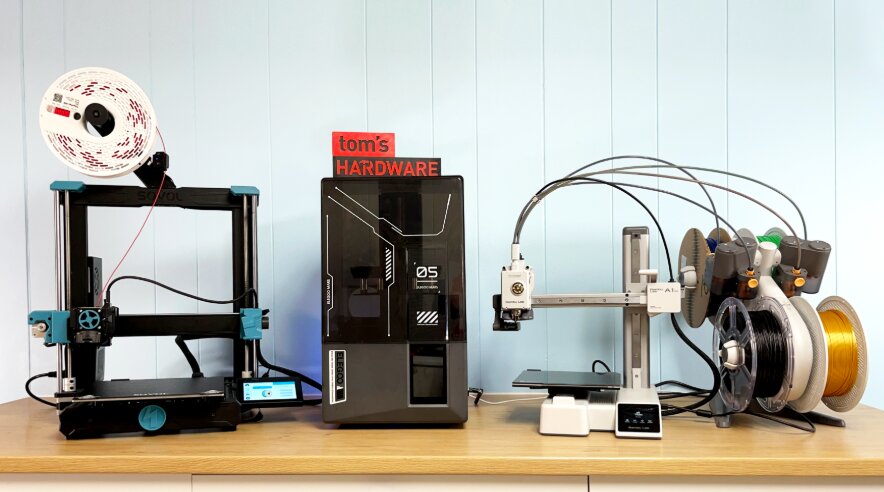
3D printers have become faster, easier to use, and more affordable than ever before. Whether you’re printing functional parts, household organizers, prototypes, cosplay props, or creative projects, choosing the right printer can save you both time and frustration.
The problem is that “best value” doesn’t necessarily mean the cheapest printer. A great value 3D printer combines print quality, speed, reliability, ease of use, and long-term features that continue to pay off long after your purchase.
After comparing print performance, build quality, software experience, ease of setup, automation features, material compatibility, and overall value, three models stood out from the competition.
Our Top Recommendation: FLASHFORGE Adventurer 5M Pro
Why We Recommend It
The FLASHFORGE Adventurer 5M Pro offers one of the best balances of speed, reliability, ease of use, and premium features you’ll find at its price point.
Its enclosed CoreXY design, fully automatic bed leveling, high-speed printing, quick-change nozzle system, excellent material compatibility, and beginner-friendly software make it an outstanding choice for nearly every type of user.
Whether you’re buying your first 3D printer or upgrading from an older machine, it delivers premium performance without requiring constant tinkering.
Best 3D Printer for the Money: Our Top Picks
1. FLASHFORGE Adventurer 5M Pro – Best Overall 3D Printer for the Money
Pros
✓ Extremely fast CoreXY printing
✓ Fully enclosed design
✓ Excellent print quality
✓ One-click automatic leveling
✓ Supports a wide range of materials
✓ Tool-free quick-change nozzles
✓ Beginner friendly
✓ Excellent value for money
Cons
✕ Build volume is smaller than some competitors
✕ Multi-color printing requires additional workflow compared to dedicated systems
Specifications
| Feature | Specification |
|---|---|
| Print Technology | FDM |
| Maximum Print Speed | 600 mm/s |
| Acceleration | 20,000 mm/s² |
| Build Volume | 220 × 220 × 220 mm |
| Nozzle Temperature | Up to 280°C |
| Bed Leveling | Fully Automatic |
| Motion System | CoreXY |
| Frame | All-Metal |
| Nozzle Sizes | 0.25 / 0.4 / 0.6 / 0.8 mm |
| Connectivity | Mobile App, Remote Monitoring |
If you’re looking for the best 3D printer for the money, it’s difficult to find a better overall package than the FLASHFORGE Adventurer 5M Pro.
One of the first things that stands out is just how refined the entire experience feels. Unlike many budget printers that require extensive calibration and troubleshooting before producing acceptable results, the Adventurer 5M Pro is designed to get users printing almost immediately. Setup takes roughly ten minutes, making it approachable even for complete beginners.
Performance is where this machine really separates itself.
Its CoreXY motion system allows print speeds of up to 600 mm/s with acceleration reaching 20,000 mm/s². Those numbers aren’t simply marketing specifications—they translate into dramatically shorter print times while maintaining impressive dimensional accuracy. Projects that would normally require several hours on older Cartesian printers can often be completed significantly faster.
High speed doesn’t matter if print quality suffers.
Fortunately, the rigid all-metal frame keeps vibration under control during rapid movements. Combined with Flashforge’s motion algorithms, the printer consistently produces smooth surfaces, sharp corners, and accurate dimensions even during faster print jobs.
The automatic bed leveling system is another feature that greatly improves the overall ownership experience.
Instead of manually adjusting leveling knobs before every project, the printer automatically detects the build plate using pressure sensing technology. This greatly reduces failed first layers, which remain one of the most common frustrations for new 3D printing enthusiasts.
The removable dual-sided PEI build plate deserves recognition as well.
Printed models adhere securely during printing yet release cleanly once the plate cools. Most parts can simply be flexed off without the need for scrapers or excessive force.
Material compatibility is another area where the Adventurer 5M Pro excels.
Its direct drive all-metal extruder reaches temperatures of 280°C, allowing users to print with a wide range of materials including:
- PLA
- PETG
- ABS
- ASA
- TPU
- Polycarbonate
- Carbon fiber reinforced PLA
- Carbon fiber reinforced PETG
This versatility makes the printer suitable for everything from decorative household items to stronger functional parts and engineering prototypes.
Another thoughtful addition is the interchangeable nozzle system.
Instead of spending considerable time replacing nozzles, users can quickly swap between different diameters depending on the project. Smaller nozzles improve detail for miniatures and intricate models, while larger nozzles dramatically reduce print times for larger functional components.
The software ecosystem also contributes significantly to the overall value.
Flash Maker allows users to monitor prints remotely, adjust settings, receive progress notifications, and even view live video feeds directly from a mobile device. Features like automatic shutdown, filament detection, and resume printing after power interruptions reduce wasted material and increase reliability during long print jobs.
The enclosed design provides another important advantage.
Unlike open-frame printers, the enclosure helps maintain stable internal temperatures when printing materials such as ABS and ASA that typically suffer from warping due to drafts or uneven cooling. The integrated filtration system also helps reduce airborne particles and odors during printing.
While the 220 x 220 x 220 mm build volume isn’t the largest available today, it remains more than sufficient for the overwhelming majority of hobbyists, makers, and home users. Most household projects, prototypes, replacement parts, toys, organizers, and educational models fit comfortably within this build space.
What ultimately makes the Adventurer 5M Pro such an exceptional value is how little compromise it requires.
Many printers excel in one area while sacrificing another. Some prioritize speed but struggle with reliability. Others produce beautiful prints but require constant maintenance. Some are beginner friendly but limit material choices.
The Adventurer 5M Pro successfully balances all of these categories.
Whether you’re printing every weekend or operating your printer daily, it provides a polished user experience that minimizes frustration while maximizing productivity.
For buyers who simply want a dependable machine capable of producing consistently high-quality prints without spending countless hours troubleshooting settings, it’s one of the strongest options currently available.
Bottom Line: If you want the best overall 3D printer for the money, the FLASHFORGE Adventurer 5M Pro delivers the best combination of speed, reliability, automation, material compatibility, and long-term value.
2. Anycubic Kobra X Multicolor – Best Value Multi-Color 3D Printer
Pros
✓ Native multi-color printing
✓ Expandable up to 19 colors
✓ Excellent automatic bed leveling
✓ AI monitoring features
✓ Quiet operation
✓ Large build volume
✓ Beginner friendly
Cons
✕ Larger footprint than many competitors
✕ Multi-color accessories increase overall cost
Specifications
| Feature | Specification |
|---|---|
| Print Technology | FDM |
| Maximum Print Speed | 600 mm/s |
| Build Volume | 260 × 260 × 260 mm |
| Colors | 4 standard, expandable to 19 |
| Bed Leveling | LeviQ 3.0 Auto Leveling |
| Camera | AI 720P Monitoring |
| Maximum Nozzle Temperature | 300°C |
| Noise Level | ≤48 dB |
| Materials | PLA, PETG, TPU, ASA, PVA |
For makers who want to move beyond single-color printing without spending thousands of dollars on professional equipment, the Anycubic Kobra X Multicolor offers tremendous value.
One of its biggest advantages is flexibility.
Out of the box, it supports four-color printing, but users can expand the system to print with as many as nineteen colors using additional ACE 2 Pro units. This opens creative possibilities that simply aren’t possible with traditional single-filament machines.
Instead of manually pausing prints to swap filament, the printer automatically manages color transitions, making it ideal for decorative models, cosplay accessories, educational pieces, toys, signs, and artistic projects.
Despite supporting advanced multi-color workflows, the Kobra X remains surprisingly beginner friendly.
Setup is straightforward, and LeviQ 3.0 automatic bed leveling removes one of the biggest learning curves associated with desktop 3D printing.
Its 49-point leveling system automatically maps the build surface and compensates for tiny imperfections, helping ensure excellent first-layer adhesion without requiring manual adjustments.
Speed is equally impressive.
With maximum print speeds of up to 600 mm/s, the Kobra X competes directly with many premium CoreXY printers while maintaining excellent overall print quality.
Unlike many high-speed printers that become noisy during operation, the Kobra X operates at approximately 48 dB, making it suitable for home offices, classrooms, apartments, and shared workspaces.
Its larger 260 x 260 x 260 mm build volume also gives users noticeably more flexibility than many competing printers in this price range.
Large cosplay helmets, storage organizers, plant pots, engineering prototypes, and functional household parts often fit without needing to split models into multiple sections.
One feature that truly modernizes the printing experience is the integrated AI monitoring system.
The included 720P camera continuously watches active print jobs, automatically detecting spaghetti failures and other printing errors. Receiving alerts before an overnight print completely fails can save hours of wasted printing time and significant amounts of filament.
The printer also includes filament run-out detection and power-loss recovery, ensuring that unexpected interruptions don’t automatically ruin long projects.
Material compatibility is another strength.
With its hardened steel nozzle supporting temperatures up to 300°C, the Kobra X can print PLA, PETG, TPU, ASA, PVA, and several other engineering materials without requiring hardware upgrades.
The adaptive extrusion compensation system also improves performance when switching between flexible and rigid materials, reducing the need for constant tuning.
Although expanding to the full nineteen-color capability requires additional hardware, the base printer still delivers tremendous value even without every expansion installed.
For users who prioritize creativity, visual design, and colorful projects, very few printers offer comparable functionality within this price range.
Bottom Line: If multi-color printing is important to you, the Anycubic Kobra X Multicolor offers one of the best values currently available while remaining fast, beginner friendly, and packed with modern automation features.
3. Creality K1C – Best High-Performance 3D Printer for the Money
Pros
✓ Fast CoreXY motion system
✓ Excellent value for engineering materials
✓ Supports carbon fiber filaments
✓ AI camera included
✓ One-tap auto calibration
✓ Quiet operation
✓ Clog-resistant direct drive extruder
Cons
✕ No native multi-color printing
✕ Learning curve is slightly higher for beginners than the FLASHFORGE Adventurer 5M Pro
Specifications
| Feature | Specification |
|---|---|
| Print Technology | FDM |
| Maximum Print Speed | 600 mm/s |
| Acceleration | 20,000 mm/s² |
| Motion System | CoreXY |
| Maximum Nozzle Temperature | 300°C |
| Extruder | Direct Drive |
| Bed Leveling | One-Tap Auto Calibration |
| Camera | AI Monitoring Camera |
| Supported Materials | PLA, PETG, TPU, ABS, ASA, Carbon Fiber |
| Noise Level | ≤45 dB |
If your primary goal is maximizing performance without spending premium flagship money, the Creality K1C deserves serious consideration.
Creality has spent years refining its K-series printers, and the K1C represents one of the company’s most polished machines to date. Rather than simply increasing print speeds, Creality focused on improving reliability, material compatibility, and ease of maintenance while keeping the printer competitively priced.
Like the FLASHFORGE Adventurer 5M Pro, the K1C uses a CoreXY motion system capable of reaching speeds up to 600 mm/s with acceleration of 20,000 mm/s².
The CoreXY design keeps the moving printhead lightweight, allowing the printer to accelerate rapidly while maintaining better positional accuracy than many traditional Cartesian designs. The result is significantly shorter print times without sacrificing dimensional accuracy on properly tuned models.
What separates the K1C from many printers in its price range is its ability to comfortably handle engineering-grade materials.
The upgraded direct drive extruder and tri-metal Unicorn nozzle are specifically designed to reduce clogging while supporting temperatures up to 300°C. This allows users to print materials that many entry-level printers struggle with, including carbon fiber reinforced filaments.
For hobbyists, carbon fiber compatibility may not seem like a major advantage.
However, users producing functional brackets, mechanical components, RC car upgrades, drone accessories, workshop tools, or replacement parts often benefit from the increased rigidity and strength these materials provide.
The printer’s direct drive extrusion system also performs well with flexible materials such as TPU, providing greater versatility than Bowden-style systems commonly found on lower-priced printers.
One of the most frustrating aspects of owning older 3D printers is manual calibration.
Creality addresses this problem with its one-tap automatic calibration system.
Instead of manually adjusting bed screws and testing first layers repeatedly, the K1C automatically performs bed leveling before printing. The dynamically balanced printhead further reduces ringing and ghosting, producing cleaner walls and sharper details during high-speed printing.
Another welcome addition is the integrated AI camera.
Rather than serving only as a remote viewing tool, the camera actively monitors print jobs for potential failures and foreign object detection. This allows users to intervene before an overnight print wastes hundreds of grams of filament.
The camera also supports automatic time-lapse recording, making it easy to document projects for social media, YouTube, or client presentations.
Noise reduction is another area where the K1C performs surprisingly well.
Many high-speed printers become noticeably louder as acceleration increases, but Creality includes a silent operating mode that keeps sound levels around 45 dB. This makes the printer suitable for home offices, bedrooms, and apartments where excessive noise can become distracting during long print jobs.
The enclosed chamber provides another important benefit.
When printing materials such as ABS or ASA, stable internal temperatures reduce the likelihood of warping and layer separation. The built-in activated carbon filtration system also helps minimize odors generated by higher-temperature materials.
Maintenance has also become much simpler than previous generations.
The redesigned nozzle system allows faster replacement while the upgraded extruder significantly reduces clogging compared to earlier Creality printers. Less maintenance means more time actually printing rather than troubleshooting.
The K1C isn’t necessarily the best option for every buyer.
If your primary focus is effortless beginner operation, the FLASHFORGE Adventurer 5M Pro still offers a slightly more polished overall experience. Likewise, users specifically interested in colorful decorative prints will likely prefer the Anycubic Kobra X Multicolor.
However, for users interested in speed, engineering materials, functional parts, and long-term versatility, the K1C delivers outstanding value.
It offers performance that rivals considerably more expensive machines while remaining affordable enough for hobbyists, makers, educators, and small businesses.
Bottom Line: The Creality K1C is one of the best high-performance 3D printers for the money, especially for users who want CoreXY speed, engineering material compatibility, and premium features without paying flagship prices.
4. Bambu Lab A1 Mini Combo – Best Compact 3D Printer for the Money
Pros
✓ Extremely beginner friendly
✓ Excellent print quality
✓ Full automatic calibration
✓ Reliable multi-color printing with AMS lite
✓ Very quiet operation
✓ Compact footprint
✓ Simple touchscreen interface
✓ Excellent software ecosystem
Cons
✕ Smaller build volume
✕ Not ideal for very large projects
✕ Limited compared to higher-temperature printers for engineering materials
Specifications
| Feature | Specification |
|---|---|
| Print Technology | FDM |
| Build Volume | 180 × 180 × 180 mm |
| Acceleration | 10,000 mm/s² |
| Multi-Color Support | AMS lite |
| Bed Leveling | Full Automatic Calibration |
| Noise Level | ≤48 dB |
| Nozzle System | Quick Swap Nozzle |
| Flow Compensation | Active Flow Rate Compensation |
| Connectivity | Wi-Fi, App Control |
For many people buying their first 3D printer, the biggest challenge isn’t choosing the fastest machine or the one with the largest build volume.
It’s choosing a printer that is simple enough to actually enjoy using.
This is where the Bambu Lab A1 Mini Combo stands out.
While it is smaller than many competitors, the A1 Mini delivers one of the most polished and beginner-friendly 3D printing experiences available today. It combines automatic calibration, excellent print quality, quiet operation, and reliable multi-color printing into a compact package that requires very little technical knowledge.
For users who want to spend more time creating and less time troubleshooting, it is one of the strongest value options available.
The first thing that separates the A1 Mini from many budget printers is how easy it is to start printing.
Many traditional 3D printers require users to manually level the bed, adjust settings, fine-tune extrusion, and troubleshoot first-layer issues before achieving consistent results.
The A1 Mini removes much of that complexity.
Its full automatic calibration system handles important adjustments automatically, including:
- Bed leveling
- Z-offset calibration
- Vibration compensation
- Flow calibration
This allows beginners to achieve reliable prints without needing to understand every technical aspect of 3D printing immediately.
For new users, this dramatically improves the first experience.
Instead of spending hours adjusting settings, users can focus on finding models, experimenting with materials, and learning the creative side of 3D printing.
Print quality is another major strength.
Despite its compact size, the A1 Mini produces highly detailed and accurate prints. Bambu Lab’s motion control system and active flow rate compensation work together to maintain consistent extrusion, resulting in smooth surfaces, clean edges, and reliable dimensions.
The active flow rate compensation system is particularly impressive.
Instead of simply pushing filament at a fixed rate, the printer continuously adjusts extrusion based on real-time measurements. This helps reduce common issues such as inconsistent layers, over-extrusion, and under-extrusion.
For decorative models, miniatures, educational projects, and everyday household prints, the results are excellent.
The A1 Mini Combo also stands out because of its AMS lite multi-color system.
Unlike many affordable printers that require manual filament changes for multiple colors, the AMS lite allows automatic switching between different filaments.
This makes it possible to create colorful models with minimal effort.
Examples include:
- Multi-color figurines
- Decorative artwork
- Educational models
- Personalized gifts
- Signs and labels
- Creative household items
For users interested in creative projects rather than purely functional parts, this feature adds significant value.
The printer is also remarkably quiet.
With operating noise levels around 48 dB, it is suitable for environments where traditional 3D printers may be distracting. Users can comfortably place it in bedrooms, offices, classrooms, or shared living spaces without dealing with excessive machine noise.
Another advantage is the compact design.
The smaller footprint makes it ideal for users who don’t have room for a full-size printer. Apartment dwellers, students, educators, and casual hobbyists often prefer a machine that delivers excellent results without requiring a dedicated workspace.
The quick-swap nozzle system is another thoughtful feature.
Maintenance is simplified because replacing the nozzle is faster and easier compared to many traditional printers. This makes switching between different nozzle sizes or replacing worn components much less intimidating for beginners.
The Bambu Lab software ecosystem further improves the experience.
Users can prepare prints, monitor progress, and manage projects through an intuitive interface. The streamlined workflow reduces the complexity that often comes with learning traditional slicer software.
However, the A1 Mini does have limitations.
Its 180 × 180 × 180 mm build volume is noticeably smaller than the FLASHFORGE Adventurer 5M Pro, Anycubic Kobra X, and Creality K1C.
This means it is not the best option for:
- Large cosplay helmets
- Oversized prototypes
- Large storage containers
- Bigger functional parts
Additionally, users who frequently print engineering materials such as carbon fiber reinforced filaments may prefer the Creality K1C because of its higher-temperature capabilities.
The A1 Mini is best suited for PLA and everyday materials rather than demanding industrial applications.
However, for the majority of hobbyists, beginners, students, and creators, these limitations are unlikely to matter.
The Bambu Lab A1 Mini Combo succeeds because it focuses on what most users actually want: a printer that works reliably and produces great results without requiring constant adjustments.
It is not the biggest or fastest printer on this list, but it may be the easiest to enjoy.
Bottom Line: The Bambu Lab A1 Mini Combo is one of the best compact 3D printers for the money, especially for beginners and creators who value simplicity, reliability, quiet operation, and easy multi-color printing.
Product Comparison Table
| Printer | Speed | Build Volume | Multi-Color | Auto Calibration | Best For |
| FLASHFORGE Adventurer 5M Pro | 600 mm/s | 220 × 220 × 220 mm | No | Yes | Best Overall Value |
| Anycubic Kobra X Multicolor | 600 mm/s | 260 × 260 × 260 mm | Yes (Up to 19 Colors) | Yes | Best Multi-Color Printer |
| Creality K1C | 600 mm/s | 220 × 220 × 250 mm | No | Yes | Best Performance |
| Bambu Lab A1 Mini Combo | High-Speed | 180 × 180 × 180 mm | Yes (AMS lite) | Yes | Best Compact Printer |
Frequently Asked Questions
What is the best 3D printer for the money?
The FLASHFORGE Adventurer 5M Pro is the best overall 3D printer for the money. It offers the strongest balance of speed, reliability, print quality, automation, and material compatibility. Its CoreXY design, automatic leveling, enclosed structure, and beginner-friendly features make it a great choice for both new users and experienced makers.
Is a 3D printer worth buying?
Yes, a 3D printer can be a worthwhile investment for hobbyists, creators, small businesses, educators, and anyone interested in making custom objects. Modern 3D printers are much easier to use than older models and can create useful items such as replacement parts, organizers, prototypes, tools, decorations, and personalized gifts.
Which 3D printer is easiest for beginners?
The Bambu Lab A1 Mini Combo and FLASHFORGE Adventurer 5M Pro are two of the easiest options for beginners. Both feature automatic calibration systems, simple setup processes, and reliable print performance without requiring extensive manual adjustments.
What is the fastest 3D printer on this list?
The FLASHFORGE Adventurer 5M Pro, Anycubic Kobra X, and Creality K1C all offer maximum print speeds of up to 600 mm/s. However, real-world print speed depends on factors such as model complexity, material, and print settings.
Which 3D printer is best for multi-color printing?
The Anycubic Kobra X Multicolor and Bambu Lab A1 Mini Combo are the best choices for multi-color printing. The Kobra X offers expandable color capabilities with support for up to 19 colors, while the A1 Mini Combo provides a simpler AMS lite system for beginner-friendly color printing.
Do I need an expensive 3D printer?
No. Many affordable 3D printers now include features that were previously only available on premium machines, such as automatic bed leveling, AI monitoring, fast printing speeds, and remote control. The best choice depends more on your intended use than the price alone.
Final Verdict
Choosing the best 3D printer for the money comes down to finding the right combination of speed, reliability, features, and ease of use.
After comparing the FLASHFORGE Adventurer 5M Pro, Anycubic Kobra X Multicolor, Creality K1C, and Bambu Lab A1 Mini Combo, each printer stands out for a different type of user.
The FLASHFORGE Adventurer 5M Pro earns our top recommendation because it delivers the most complete overall package. Its high-speed CoreXY system, enclosed design, automatic leveling, wide material support, and beginner-friendly operation make it the best choice for most buyers.
The Anycubic Kobra X Multicolor is the ideal option for creators who want to explore colorful 3D printing. Its expandable multi-color capabilities, large build volume, AI monitoring, and simple workflow make it an excellent choice for artistic projects, educational use, and creative experimentation.
The Creality K1C is the best choice for users who prioritize performance and advanced materials. With its fast CoreXY system, carbon fiber compatibility, upgraded extruder, and strong engineering capabilities, it is a powerful option for functional parts, prototypes, and demanding projects.
The Bambu Lab A1 Mini Combo is perfect for beginners and users with limited space. While its smaller build volume limits larger projects, its excellent print quality, quiet operation, automatic calibration, and easy multi-color printing make it one of the most enjoyable printers to use.
Our Final Rankings
- FLASHFORGE Adventurer 5M Pro – Best Overall 3D Printer for the Money
- Anycubic Kobra X Multicolor – Best Multi-Color 3D Printer
- Creality K1C – Best High-Performance 3D Printer
- Bambu Lab A1 Mini Combo – Best Compact 3D Printer
For most buyers, the FLASHFORGE Adventurer 5M Pro provides the strongest combination of performance, reliability, and value. It delivers the features that matter most in everyday 3D printing while remaining easy enough for beginners and capable enough for experienced makers.
However, the best 3D printer is ultimately the one that matches your specific needs. Whether you prioritize speed, multi-color creativity, engineering materials, or simplicity, there is an excellent option available at every level.