
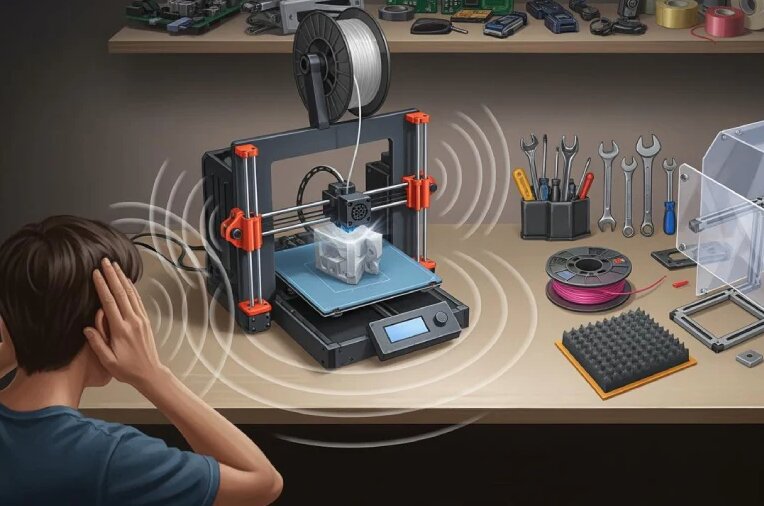
3D printers have become increasingly popular for hobbyists, makers, educators, and small businesses. However, one common concern among new buyers is noise. Since 3D printers often run for several hours at a time, many people wonder: How noisy are 3D printers, and can you comfortably use one at home?
The short answer is that most modern 3D printers are quieter than older models, but the noise level depends heavily on the printer type, components, print speed, and where the machine is located.
A typical desktop FDM 3D printer produces around 40 to 60 decibels (dB) of noise, which is similar to a quiet conversation or the sound of a refrigerator running. Resin 3D printers are usually quieter because they rely less on moving mechanical parts, although their fans can still produce noticeable background noise.
This guide explains how loud different types of 3D printers are, what causes the noise, how to reduce it, and whether a 3D printer is suitable for bedrooms, offices, or apartments.
How Loud Is a 3D Printer?
The average 3D printer is not extremely loud, but it is usually not completely silent either.
Most desktop 3D printers fall within these approximate noise ranges:
| 3D Printer Type | Average Noise Level | Comparable Sound |
|---|---|---|
| Modern FDM printer | 40-60 dB | Quiet conversation, refrigerator |
| Older FDM printer | 55-70 dB | Normal conversation, vacuum cleaner nearby |
| Resin printer | 30-50 dB | Quiet office, computer fans |
| Industrial 3D printer | 60+ dB | Busy workshop environment |
For comparison:
- 30 dB: Quiet bedroom at night
- 40 dB: Quiet library
- 50 dB: Normal home background noise
- 60 dB: Normal conversation
- 70 dB: Vacuum cleaner or busy street
A modern 3D printer running in another room is often barely noticeable, but a printer sitting directly beside your desk may become distracting during long prints.
What Makes a 3D Printer Noisy?
A 3D printer creates noise from several different components working together. Understanding these sources makes it easier to choose a quieter printer or reduce existing noise.
1. Cooling Fans
Fans are often the biggest source of continuous noise on a 3D printer.
Most FDM printers have multiple fans:
- Hotend cooling fan
- Part cooling fan
- Electronics cooling fan
- Power supply fan
These fans run for most or all of the printing process. Higher-speed fans can create a constant humming sound.
Some budget printers use lower-quality fans with louder bearings, while premium models often use quieter fans designed for longer operation.
2. Stepper Motors
Stepper motors control the movement of the print head and build plate. Older 3D printers often produce noticeable buzzing, whining, or clicking sounds as the motors change direction.
Modern printers are much quieter because many now include:
- Silent stepper motor drivers
- Improved motion systems
- Better firmware control
A printer with silent motor drivers can reduce mechanical noise significantly.
3. Printer Movement
The physical movement of the printer creates additional noise.
Common sources include:
- Linear rails moving
- Belts moving across pulleys
- Bearings rolling
- The print head changing direction
- The build plate moving forward and backward
Fast printing speeds can increase these sounds, especially during complex models with many small movements.
4. Vibrations
A printer sitting on a lightweight desk can amplify noise.
The printer itself may not be extremely loud, but vibrations transferred into furniture can create:
- Rattling sounds
- Low-frequency humming
- Desk shaking
A sturdy surface can make a surprisingly large difference.
Are FDM 3D Printers Louder Than Resin Printers?
Yes, in most cases, FDM printers are louder than resin printers.
FDM 3D Printers
Fused Deposition Modeling (FDM) printers create objects by melting and depositing plastic filament. They contain many moving components, including:
- Moving print heads
- Moving beds
- Motors
- Belts
- Multiple fans
Because of this, FDM printers usually produce more mechanical noise.
Typical noise level:
40-60 dB
Resin 3D Printers
Resin printers use liquid photopolymer resin cured with UV light. Since the printing process involves less movement, they are usually quieter.
Noise mainly comes from:
- Cooling fans
- Z-axis movement
- Air filtration systems
Typical noise level:
30-50 dB
However, resin printers have other considerations, such as ventilation and resin handling, which may matter more than noise.
Can You Sleep With a 3D Printer Running?
For most people, sleeping next to an active 3D printer is not ideal.
Even a relatively quiet printer can create:
- Repetitive movement sounds
- Fan noise
- Occasional clicking or vibration
While a 40 dB printer may seem quiet, constant background noise for several hours can disturb light sleepers.
If you want to run overnight prints, better options include:
- Placing the printer in another room
- Using a printer enclosure
- Choosing a quieter model
- Reducing fan speed when possible
- Using vibration-dampening materials
A printer in a separate room is usually much less noticeable.
Are 3D Printers Loud Enough to Annoy Neighbors?
In most cases, a desktop 3D printer will not be loud enough to bother neighbors through normal walls.
However, vibrations can sometimes travel through:
- Shared apartment walls
- Floors
- Desks connected to walls
This is more likely when:
- Printing overnight
- Using an older printer
- Running very high speeds
- Placing the printer directly against a wall
Adding vibration isolation can help reduce sound transfer.
How to Make a 3D Printer Quieter
If your printer is louder than expected, there are several ways to reduce the noise.
1. Use a Solid Surface
Avoid placing your printer on:
- Lightweight tables
- Hollow furniture
- Unstable shelves
A heavy desk or workbench helps absorb vibrations.
2. Add Vibration Dampening Feet
Rubber or silicone feet can reduce vibrations transferred into furniture.
They are inexpensive upgrades that can noticeably improve noise levels.
3. Upgrade the Fans
Replacing stock fans with quieter models can significantly reduce constant humming.
The biggest improvements usually come from upgrading:
- Hotend fan
- Electronics fan
- Power supply fan
4. Lower Print Speed
Higher print speeds usually create more:
- Motor noise
- Belt movement
- Mechanical vibration
Reducing speed slightly can make the printer quieter while maintaining good print quality.
5. Use an Enclosure
An enclosure can reduce noise by containing:
- Fan sounds
- Motor sounds
- Mechanical vibrations
It can also help maintain a stable printing temperature for certain materials.
However, an enclosure is not always necessary for every printer or material.
6. Enable Silent Printing Features
Many modern printers include features designed to reduce noise, such as:
- Silent motor drivers
- Stealth printing modes
- Firmware noise controls
Check your printer settings to see what options are available.
What Are the Quietest 3D Printers?
If noise is a priority, look for printers with:
- Silent stepper drivers
- High-quality fans
- Stable frames
- Lower vibration designs
- Enclosed structures
Modern consumer printers from brands such as Bambu Lab, Prusa Research, and Creality often include improvements that make them significantly quieter than older budget models.
A quieter printer is especially useful for:
- Home offices
- Bedrooms
- Apartments
- Shared living spaces
Do 3D Printers Make Noise All the Time?
No. The noise level changes depending on what the printer is doing.
A typical print may include:
Startup
Usually louder because:
- Fans ramp up
- Motors initialize
- The printer homes itself
Normal Printing
Usually a consistent hum from:
- Fans
- Motors
- Movement
Detailed Sections
May become louder because:
- The print head changes direction frequently
- Motors accelerate and decelerate
Cooling Period
Usually quieter as movement stops.
Should You Buy a 3D Printer If You Need a Quiet Workspace?
A 3D printer can work in a home office, but placement matters.
For a quiet workspace:
Good options:
- Place the printer several feet away
- Use a newer quiet model
- Print during non-working hours
- Add vibration isolation
Less ideal:
- Printer directly beside your monitor
- Running long prints during meetings
- Using an older budget printer
Many hobbyists successfully use 3D printers in home offices, but most eventually find that separating the printer from their main workspace improves comfort.
Frequently Asked Questions
Are 3D printers louder than a computer?
Most 3D printers are louder than a typical quiet desktop computer but quieter than appliances like vacuum cleaners. The main difference is that a 3D printer runs continuously for much longer periods.
Can I put a 3D printer in my bedroom?
You can, but it may not be ideal. Even quiet printers produce constant background noise, and other factors such as ventilation and print material should also be considered.
Are expensive 3D printers quieter?
Generally, yes. More expensive printers often use better motors, improved frames, quieter fans, and better vibration control.
Why is my 3D printer suddenly louder?
A sudden increase in noise may be caused by:
- Worn bearings
- Loose belts
- Dirty fans
- Loose screws
- Poor lubrication
- Mechanical issues
Regular maintenance can help keep noise levels low.
Final Thoughts
So, how noisy are 3D printers?
Most modern desktop 3D printers are surprisingly manageable, typically producing noise levels similar to a quiet conversation or household appliance. FDM printers tend to be louder because of their moving parts, while resin printers are usually quieter.
For most homes, noise is not a dealbreaker. However, if you plan to run long prints overnight or work directly beside your printer, choosing a quiet model and making simple noise-reduction upgrades can make a significant difference.
A well-maintained modern 3D printer placed on a stable surface can be quiet enough for everyday home use while still delivering the benefits of creating custom parts, prototypes, and projects.