
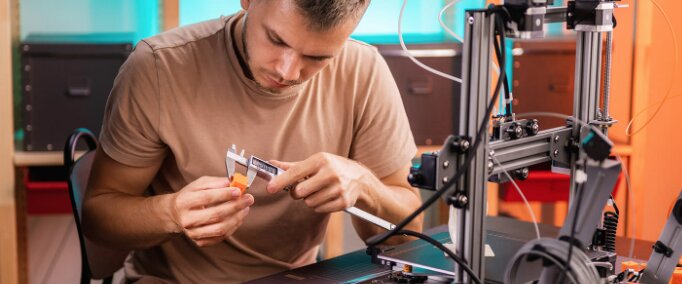
Engineering students rely on 3D printers for far more than hobby projects. Whether you’re creating functional prototypes, testing mechanical assemblies, producing capstone project components, or building design models for coursework, the right 3D printer can significantly improve both learning and productivity.
The challenge is that engineering projects often require greater dimensional accuracy, stronger materials, faster print speeds, and higher reliability than casual consumer printing. Features such as auto leveling, enclosed chambers, direct drive extruders, and support for engineering-grade filaments become increasingly important as projects become more complex.
After comparing print quality, ease of use, material compatibility, speed, reliability, build volume, and overall value for engineering students, one model stood out as the strongest overall choice.
Our Top Recommendation: FLASHFORGE Adventurer 5M
Why It Holds Top Spot
The FLASHFORGE Adventurer 5M offers one of the best combinations of speed, reliability, ease of use, and affordability available today.
Its fully automatic leveling system eliminates one of the biggest frustrations new users face. The CoreXY motion system delivers exceptional speed without sacrificing quality, while the direct drive extruder supports a wide variety of materials used in engineering projects.
Unlike many beginner-focused printers, the Adventurer 5M provides enough performance to remain useful throughout an engineering student’s entire academic career.
For most students, it delivers the ideal balance between simplicity and capability.
Best 3D Printers for Engineering Students: Our Top Picks
1. FLASHFORGE Adventurer 5M – Best Overall 3D Printer for Engineering Students
Pros
✓ Fully automatic leveling
✓ Fast CoreXY printing system
✓ Excellent reliability
✓ Beginner-friendly setup
✓ Direct drive extruder
✓ High-speed 600mm/s printing
✓ Strong value for money
Cons
✕ Enclosure sold separately
✕ Build volume may be limiting for very large projects
Specifications
| Feature | Specification |
|---|---|
| Print Speed | Up to 600mm/s |
| Build Volume | 220 × 220 × 220 mm |
| Nozzle Temperature | Up to 280°C |
| Leveling | Fully Automatic |
| Motion System | CoreXY |
| Extruder | Direct Drive |
| Nozzle System | 3-Second Quick Release |
| Weight | 23.8 lbs |
For most engineering students, the FLASHFORGE Adventurer 5M represents the sweet spot between affordability and performance.
One of the biggest reasons it earns our top recommendation is how easy it is to operate. Engineering students already have enough coursework, labs, and projects competing for their attention. Spending hours troubleshooting printer issues is rarely productive.
The Adventurer 5M minimizes those frustrations.
The fully automatic leveling system removes one of the most common causes of failed prints. Students can focus on designing and iterating rather than constantly adjusting hardware.
The CoreXY architecture is another major advantage. Unlike traditional Cartesian printers, CoreXY systems reduce moving mass and allow significantly faster print speeds. This becomes incredibly useful when deadlines are approaching and multiple prototype iterations are required.
The direct drive extruder provides reliable filament feeding and supports flexible materials better than many Bowden-style systems.
Print quality is excellent for engineering applications. Parts come out dimensionally accurate and consistent, making the printer suitable for mechanical components, housings, brackets, gears, and project prototypes.
The quick-release nozzle system is particularly valuable in educational environments. Students can quickly swap nozzles or perform maintenance without extensive downtime.
Another strength is long-term usability. Many entry-level printers are quickly outgrown as students advance into more complex projects. The Adventurer 5M offers enough speed and capability to remain useful throughout undergraduate engineering programs.
Whether you’re studying mechanical engineering, electrical engineering, robotics, aerospace engineering, or industrial design, the Adventurer 5M provides an excellent foundation for prototyping and experimentation.
2. Anycubic Kobra S1C – Best Multi-Color 3D Printer for Engineering Students
Pros
✓ Built-in filament drying
✓ Multi-color printing capability
✓ Fully enclosed design
✓ Fast CoreXY architecture
✓ Excellent automation features
✓ Smart app controls
✓ Easy maintenance
Cons
✕ Higher learning curve than single-color printers
✕ More expensive than entry-level models
Specifications
| Feature | Specification |
|---|---|
| Print Speed | Up to 600mm/s |
| Motion System | CoreXY |
| Calibration | Fully Automatic |
| Enclosure | Fully Enclosed |
| Multi-Color Printing | 4 Colors Built-In |
| Remote Control | Anycubic App |
| Filament Drying | Built-In |
| Nozzle System | Quick-Swap |
Engineering students often encounter projects requiring multiple components, color coding, labels, or visualization aids.
This is where the Anycubic Kobra S1C excels.
Unlike traditional printers that require manual filament changes, the Kobra S1C allows multi-color printing directly from the machine.
This capability becomes particularly useful when producing educational models, robotics assemblies, electronic enclosures, and presentation-ready prototypes.
One of its most unique features is active filament drying.
Many students underestimate how much moisture can affect print quality. Wet filament often causes inconsistent extrusion, poor surface finish, and failed prints. The Kobra S1C continuously manages filament condition, significantly improving reliability during long engineering projects.
The enclosed chamber is another major benefit.
Engineering students frequently experiment with more demanding materials beyond basic PLA. The enclosed design helps maintain stable temperatures and improves success rates when printing materials that are sensitive to warping.
The automatic calibration systems are exceptionally beginner-friendly.
Features like automatic bed leveling, vibration compensation, and flow calibration remove much of the manual tuning traditionally associated with 3D printing.
The ability to remotely monitor prints through the Anycubic ecosystem is also valuable. Students can check project status while attending lectures, studying, or working elsewhere.
The CoreXY motion system delivers fast production speeds while maintaining excellent accuracy.
For students balancing multiple deadlines, the ability to rapidly print design iterations can significantly accelerate project development.
3. Creality K1C – Best 3D Printer for Functional Engineering Prototypes
Pros
✓ Supports carbon fiber materials
✓ Fully enclosed chamber
✓ AI monitoring camera
✓ Extremely fast printing
✓ Excellent material compatibility
✓ Quiet operation
Cons
✕ Software ecosystem can require some learning
✕ Camera features may not be necessary for all users
Specifications
| Feature | Specification |
|---|---|
| Print Speed | Up to 600mm/s |
| Build Volume | 220 × 220 × 250 mm |
| Nozzle Temperature | Up to 300°C |
| Camera | AI Monitoring Camera |
| Enclosure | Fully Enclosed |
| Carbon Fiber Support | Yes |
| Motion System | CoreXY |
| Auto Leveling | Yes |
Many engineering students eventually move beyond decorative prints and begin creating truly functional parts.
The Creality K1C was built with those users in mind.
One of its biggest strengths is carbon fiber filament compatibility.
Materials such as PLA-CF and PETG-CF offer increased stiffness, improved dimensional stability, and greater strength compared to standard filaments. These characteristics make them highly attractive for engineering applications.
Students studying mechanical engineering, robotics, aerospace engineering, and product design can benefit significantly from these advanced materials.
The 300°C hotend expands material compatibility even further.
Beyond basic PLA and PETG, students can experiment with a broader range of engineering-focused materials as their skills progress.
The AI camera adds another layer of convenience.
Long prints often fail unexpectedly. The monitoring system helps identify issues early and allows students to intervene before wasting significant amounts of material.
The enclosed build chamber helps maintain thermal stability during printing, improving results when working with more demanding materials.
Another advantage is the printer’s quiet operation.
Dorm rooms, apartments, and shared study spaces often limit the practicality of noisy equipment. The K1C’s silent mode makes it far easier to live and work around the printer.
For students focused on building strong, functional prototypes rather than simple display models, the K1C offers an excellent balance of speed and material versatility.
4. Creality K2 Combo – Best Premium 3D Printer for Engineering Students
Pros
✓ Multi-color printing support
✓ Larger build volume
✓ AI-assisted monitoring
✓ Step-servo motor system
✓ Outstanding print quality
✓ Extremely quiet operation
✓ Future-proof capabilities
Cons
✕ Premium pricing
✕ More printer than some students need
Specifications
| Feature | Specification |
|---|---|
| Build Volume | 260 × 260 × 260 mm |
| Print Speed | Up to 600mm/s |
| Multi-Color Printing | Up to 16 Colors |
| AI Camera | Yes |
| Auto Leveling | Smart Area Leveling |
| Noise Level | Ultra Quiet |
| Assembly | 95% Pre-Assembled |
| Motion System | Step-Servo Enhanced |
The Creality K2 Combo is arguably the most advanced printer on this list.
For engineering students with larger budgets or ambitious project requirements, it offers exceptional capabilities.
The larger 260mm build volume immediately stands out.
Many engineering projects involve larger assemblies, prototypes, and structural components that simply do not fit comfortably within smaller build areas.
The K2 Combo provides significantly more room for experimentation.
Its multi-color printing system is among the most advanced available.
While engineering projects often prioritize functionality, visual differentiation can still be valuable when creating instructional models, product demonstrations, educational prototypes, or competition entries.
The intelligent leveling system is another highlight.
Rather than probing the entire build plate, the printer only measures relevant print areas. This improves efficiency while maintaining accuracy.
The step-servo motor system distinguishes the K2 from many competitors.
These motors dynamically adjust performance in real time, improving print consistency, reducing noise, and enhancing dimensional accuracy.
The AI camera continuously monitors print progress and helps identify failures before they become expensive problems.
Students involved in advanced capstone projects, engineering competitions, research activities, or startup ventures may find the additional capabilities worthwhile.
Product Comparison Table
| Printer | Build Volume | Auto Leveling | Enclosed | Multi-Color | Max Speed | Best For |
|---|---|---|---|---|---|---|
| FLASHFORGE Adventurer 5M | 220×220×220mm | Yes | Optional | No | 600mm/s | Overall value |
| Anycubic Kobra S1C | Varies | Yes | Yes | 4 Colors | 600mm/s | Multi-color projects |
| Creality K1C | 220×220×250mm | Yes | Yes | No | 600mm/s | Functional prototypes |
| Creality K2 Combo | 260×260×260mm | Yes | Yes | Up to 16 Colors | 600mm/s | Premium users |
What Engineering Students Should Look for in a 3D Printer
Choosing a 3D printer for engineering school differs significantly from choosing one for casual hobby use.
Engineering projects often require repeatability, dimensional accuracy, material versatility, and reliability.
Automatic Leveling
Automatic leveling dramatically reduces setup time and print failures.
Students frequently work under tight deadlines. A printer that automatically calibrates itself can save countless hours throughout a semester.
Print Speed
Engineering projects often require multiple design iterations.
A printer capable of producing prototypes quickly allows students to test ideas, make adjustments, and print revised versions faster.
Modern CoreXY printers operating at 600mm/s offer significant advantages over older machines.
Material Compatibility
Many engineering applications require more than standard PLA.
Useful materials include:
- PETG
- ABS
- TPU
- Carbon Fiber Reinforced Filaments
- ASA
The broader a printer’s material support, the more versatile it becomes.
Build Volume
Larger build volumes provide more flexibility.
Students frequently underestimate how quickly project sizes grow once they begin prototyping.
A build volume of at least 220mm in each dimension is generally recommended.
Reliability
Engineering students need printers that work consistently.
A reliable printer allows more time for design and testing rather than troubleshooting.
Why Engineering Students Benefit From Owning a 3D Printer
A personal 3D printer offers advantages that extend far beyond coursework.
Students can create:
- Functional prototypes
- Robotics components
- Mechanical assemblies
- Electronic enclosures
- Capstone project parts
- Competition entries
- Product development models
- Research equipment
Many universities provide access to shared printers, but personal ownership offers greater convenience and flexibility.
Students can print whenever they need rather than waiting in long queues or adhering to lab schedules.
The ability to rapidly iterate designs often leads to better project outcomes and stronger engineering skills.
Common Mistakes Engineering Students Make When Buying a 3D Printer
Choosing the Cheapest Printer Available
Low-cost printers often require extensive tuning and maintenance.
The initial savings can quickly disappear through frustration and lost productivity.
Ignoring Material Compatibility
Students frequently discover they need stronger materials later in their academic programs.
Choosing a printer with broader material support helps avoid future upgrades.
Buying a Printer That’s Too Small
Small build volumes can become restrictive surprisingly quickly.
Larger projects often require cutting models into multiple sections, increasing complexity.
Underestimating Ease of Use
A printer that works consistently is often more valuable than one with slightly better specifications but significantly more maintenance requirements.
Frequently Asked Questions
What is the best 3D printer for engineering students?
The FLASHFORGE Adventurer 5M is our top recommendation. It combines high-speed CoreXY performance, automatic leveling, reliable operation, and excellent value, making it ideal for most engineering students.
Do engineering students need an enclosed 3D printer?
Not necessarily. PLA projects can be printed successfully without an enclosure. However, enclosed printers are beneficial when working with ABS, ASA, carbon fiber materials, and other engineering-grade filaments.
Is a CoreXY printer worth it for engineering students?
Yes. CoreXY printers generally provide faster printing speeds and excellent print quality, making them particularly useful for rapid prototyping.
What filament do engineering students use most?
PLA remains the most common starting material because it is easy to print. As students advance, many begin using PETG, ABS, TPU, ASA, and carbon fiber reinforced filaments.
Is auto leveling important?
Absolutely. Auto leveling significantly reduces setup time and improves print reliability, making it one of the most valuable features for students.
Can engineering students use 3D printers for capstone projects?
Yes. Many engineering students rely heavily on 3D printing during capstone projects to create prototypes, functional mechanisms, housings, and presentation models.
How much should an engineering student spend on a 3D printer?
Most students will find excellent value in the mid-range market. Spending slightly more on a reliable printer often results in fewer frustrations and better long-term performance.
Who Should Buy Each Printer?
Choose the FLASHFORGE Adventurer 5M if:
- You want the best overall value
- You are new to 3D printing
- You want minimal maintenance
- You need a reliable engineering workhorse
Choose the Anycubic Kobra S1C if:
- You want multi-color printing
- You value automation
- You need built-in filament drying
- You want remote monitoring
Choose the Creality K1C if:
- You plan to print carbon fiber materials
- You need stronger functional parts
- You want an enclosed printer
- You prioritize engineering-grade materials
Choose the Creality K2 Combo if:
- You want premium features
- You need a larger build volume
- You want advanced multi-color printing
- You have ambitious project requirements
Final Verdict
Choosing the best 3D printer for engineering students ultimately comes down to balancing reliability, speed, material compatibility, and long-term usability.
After comparing all four options, the FLASHFORGE Adventurer 5M earns our top recommendation. Its fully automatic leveling system, high-speed CoreXY architecture, direct drive extruder, excellent print quality, and user-friendly design make it one of the most practical printers available for engineering students. It delivers the right balance of performance and simplicity while remaining capable enough to support everything from introductory coursework to advanced capstone projects.
The Anycubic Kobra S1C secures the second position thanks to its outstanding automation features, built-in filament drying, enclosed design, and multi-color printing capabilities. Students who value convenience and versatility will find it particularly appealing.
For those focused on stronger functional prototypes and advanced engineering materials, the Creality K1C stands out with its carbon fiber compatibility and enclosed printing environment. Meanwhile, the Creality K2 Combo offers premium capabilities for students seeking larger build volumes, advanced monitoring systems, and extensive multi-color functionality.
At the end of the day, the best 3D printer is the one that allows you to spend less time troubleshooting and more time designing, testing, and building. For most engineering students, the FLASHFORGE Adventurer 5M provides the strongest combination of performance, reliability, and value, making it our top choice for the best 3D printer for engineering students in 2026.
Our Final Rankings
- FLASHFORGE Adventurer 5M – Best Overall 3D Printer for Engineering Students
- Anycubic Kobra S1C – Best Multi-Color 3D Printer
- Creality K1C – Best for Functional Engineering Prototypes
- Creality K2 Combo – Best Premium 3D Printer for Engineering Students